
Multi-chain Assets
Check the network, address context and confirmation state rather than relying only on a token name.
- Assets across networks
- Address and network checks
- Confirmations and block records
From multi-chain assets and network selection to sending, receiving, DApp connections and approval management, imtoken brings wallet use and on-chain knowledge into one clear path. Learn how networks differ, how to review transactions and gas, and how seed phrases, private keys and approval security fit into every action.
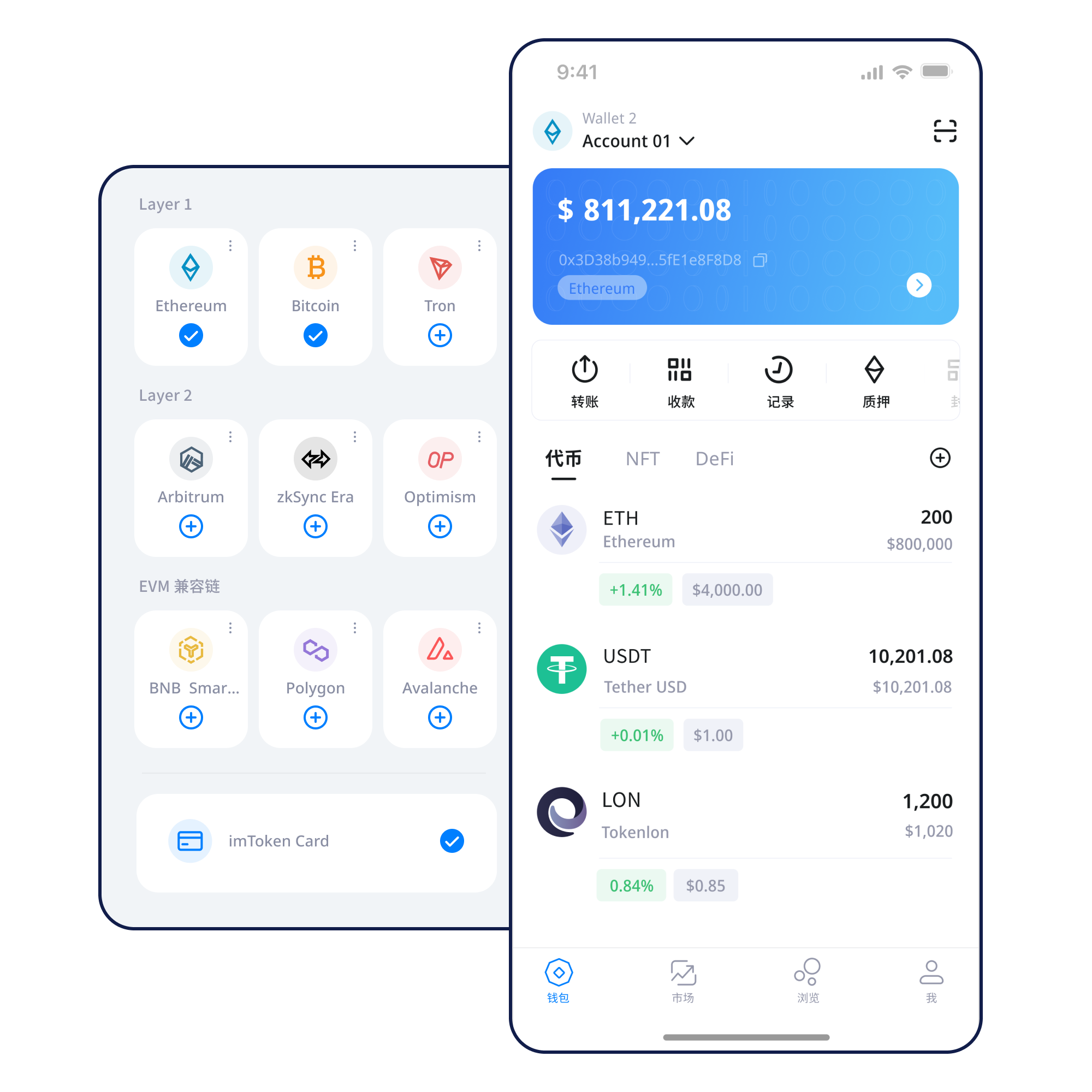
Common wallet tasks are separated into a real workflow: understand the action, perform it, and then verify the result.
Understand addresses, seed phrases and private keys before creating a wallet.
Learn the basics →Keep recovery information offline, avoid screenshots, and never send it to anyone.
Backup principles →Review address, network, amount and gas, then keep the transaction hash.
Transfer checks →Assets, transactions, mobile use, browser connections and security are related, but they are not the same decision.
Check the network, address context and confirmation state rather than relying only on a token name.
Address, network, amount, gas and transaction hash form a complete verification path.
See the full flow →For mobile wallet use, network management, asset views, history and DApp access.
Review account requests, DApp origin, signatures and approvals, then disconnect unneeded access.
Explore Web connections →Seed phrases and private keys remain under the user’s control throughout the wallet lifecycle.
Public chains, EVM networks and Layer 2 differ in confirmation logic, fees and cross-layer movement.
A multi-chain wallet works across separate blockchain environments. Verify the network, address, asset contract and expected delivery path.
Learn more →
Nodes propagate transactions, blocks record state, and block explorers help verify hashes, heights and execution results.
Understand public chains →
EVM-compatible networks may use similar address formats while maintaining independent gas, network IDs, contracts and asset states.
Explore EVM →
Cross-layer movement can involve bridges, waiting periods and different confirmation rules.
Explore Layer 2 →Gas reflects execution resources on-chain. Use the transaction hash, status and confirmations to determine whether an action is complete.
Read the guide →From getting imtoken to reviewing transactions and approvals, each stage has a practical verification point.
Use the unified download entry.
Handle recovery information only in a trusted environment.
Keep the seed phrase offline and never disclose a private key.
Check the asset network, recipient support and gas asset.
Review address, network and amount, then keep the transaction hash.
Inspect DApp requests before signing and review permissions you no longer need.
Connecting a wallet does not mean every later request should be accepted. Separate the domain, account request, signature content and approval target.
Open the Web3 guideUsers remain responsible for seed phrases and private keys. DApp approvals need a clear target and permission scope, while transfers require address, network and amount checks together. Confirmed on-chain transactions usually cannot be unilaterally reversed by a wallet, and third-party contracts can introduce independent risks.
Open SecurityFollow a real learning order: wallet concepts, addresses and networks, transactions, DApps, approvals and security management.
An address identifies where assets can be received; seed phrases and private keys relate to recovery and control; the network determines where a transaction executes; gas reflects execution cost; a transaction hash identifies the record; and DApps and approvals introduce third-party contract permissions.
Read the guideLearn staking and validators without guaranteed-return language.
Validators participate in consensus. Reward sources, network state, withdrawals and exit flows are influenced by protocol rules and network conditions.
Staking does not guarantee returns. Exits may involve waiting, validators can face penalties, smart contracts and third-party services can introduce technical risk, and digital asset prices can move materially.
No invented dates, partnerships, financing or market rankings.
Check network, address and asset state when sending or receiving.
A DApp connection does not remove the need to review each request.
Bridge and Layer 2 flows can use different confirmation timing.
The complete FAQ covers 16 wallet, network, Web3, security and PoS topics.
A digital wallet helps manage blockchain addresses, signing permissions and asset views. The interface does not physically store on-chain assets; it helps users interact with networks using keys they control.
Both are highly sensitive recovery or control information. Generation methods vary, but the practical rule is the same: keep them under your control, back them up offline, and never send them to anyone.
An asset with the same name may exist on different networks. Whether the recipient supports the selected network affects delivery and recovery options, so verify network, address and amount together.
Gas measures computation or transaction usage on a blockchain. Actual fees depend on the network mechanism and current demand, so unexpected changes should prompt a review of the network and transaction details.
A transaction hash is a key identifier for finding an on-chain record. On the correct block explorer, it can show status, block height, sender, recipient and execution result.
No. A connection normally establishes an account interaction. Signatures, transactions and approvals should still be reviewed separately, and a connected DApp should not be treated as automatically trustworthy.
The unified download entry is /download.html. Keep reviewing every transfer, signature and approval before confirming.